POTATO MODE
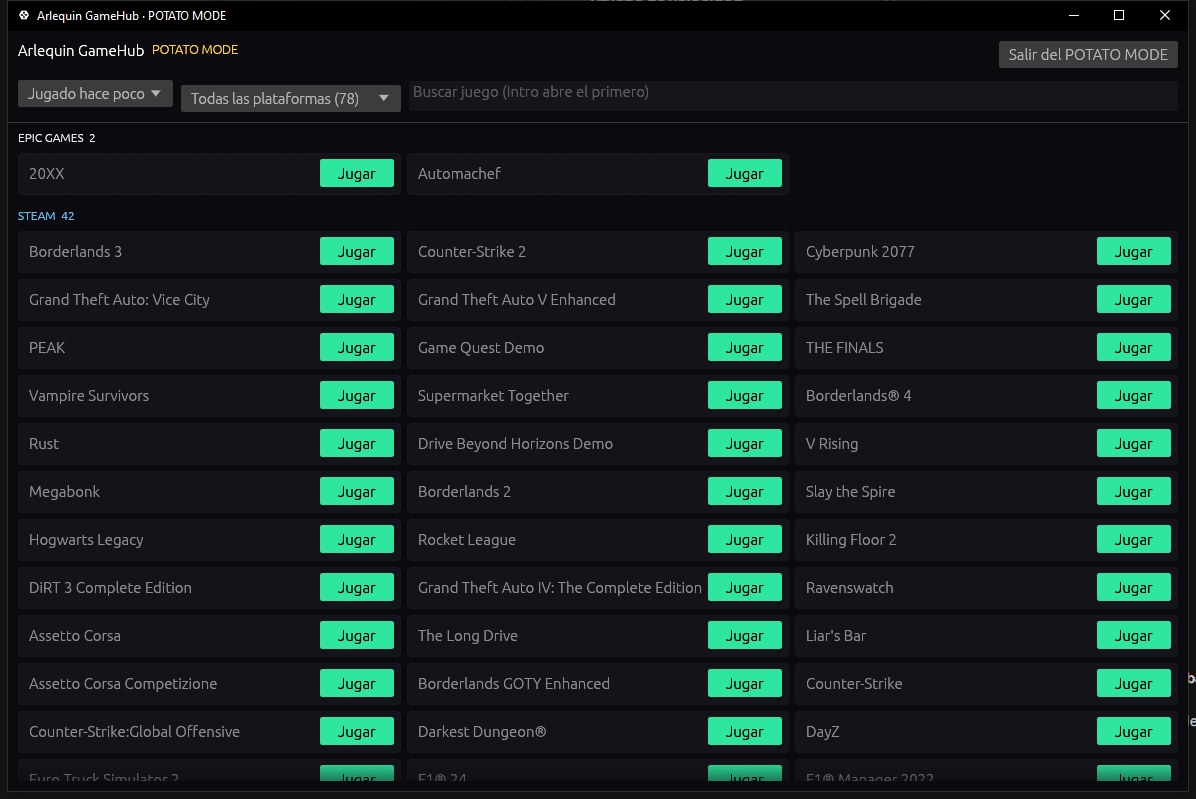
For PCs that are short on resources: GameHub in an ultra-light native window.
POTATO MODE restarts GameHub without its web interface (with no browser inside): just your games and a button to play. It uses far less memory and keeps backing up your saves and counting your hours.
POTATO MODE+ (ArlequinPro) goes even further: just the launcher, with nothing in the background, so your whole PC is for the game.
The POTATO MODE window is drawn by the CPU, without using the graphics card: in total, GameHub uses about 66 MB of memory (440 MB in normal mode) and no video memory. And the normal interface also uses much less memory and GPU than before, especially with lots of games or with GameHub minimized.
How to use it
- The “POTATO MODE” button in the sidebar (and “+” for POTATO MODE+).
- In Options → Performance you can make it always start like this and choose which one.
- When you open a game, GameHub switches to POTATO MODE on its own (it closes its window and the chat to leave everything to the game) and comes back as it was when you close it. In Options → When playing you choose whether it closes the window and whether it disconnects the chat (for example, to stay in a Discord call).
- GameHub comes back as soon as you close the game, and switching to POTATO MODE when a game opens can be turned off in Options → Performance.
Normal, POTATO MODE and POTATO MODE+, measured
Measured on the GameHub creator's PC (Ryzen 7 9800X3D, Radeon RX 9070 XT, 64 GB of RAM) with 62 installed games: normal GameHub in the Library showing only installed games, versus POTATO MODE and POTATO MODE+, with the window visible and nothing touched (90-second average).
| Normal (Library) | POTATO MODE | POTATO MODE+ | |
|---|---|---|---|
| RAM | 440 MB | 66 MB (−85 %) | 57 MB (−87 %) |
| Video memory | 209 MB | 0 MB | 0 MB |
| Processor | 0.4 % | 0.01 % | 0 % |
| Graphics card | 0.7 % | 0 % | 0 % |
| Open processes | 7 | 2 | 2 |
Only GameHub and its built-in browser are counted. Numbers may vary on your PC, but the difference is similar.
Give it a try?
⬇ Direct download 🛍️ Download from Microsoft StoreWindows 10 and 11 (64-bit) · Free · Updates itself