BenchHub: how fast your PC really is
Processor, RAM and graphics tests, and a Hall of Fame to compare yourself with the community.
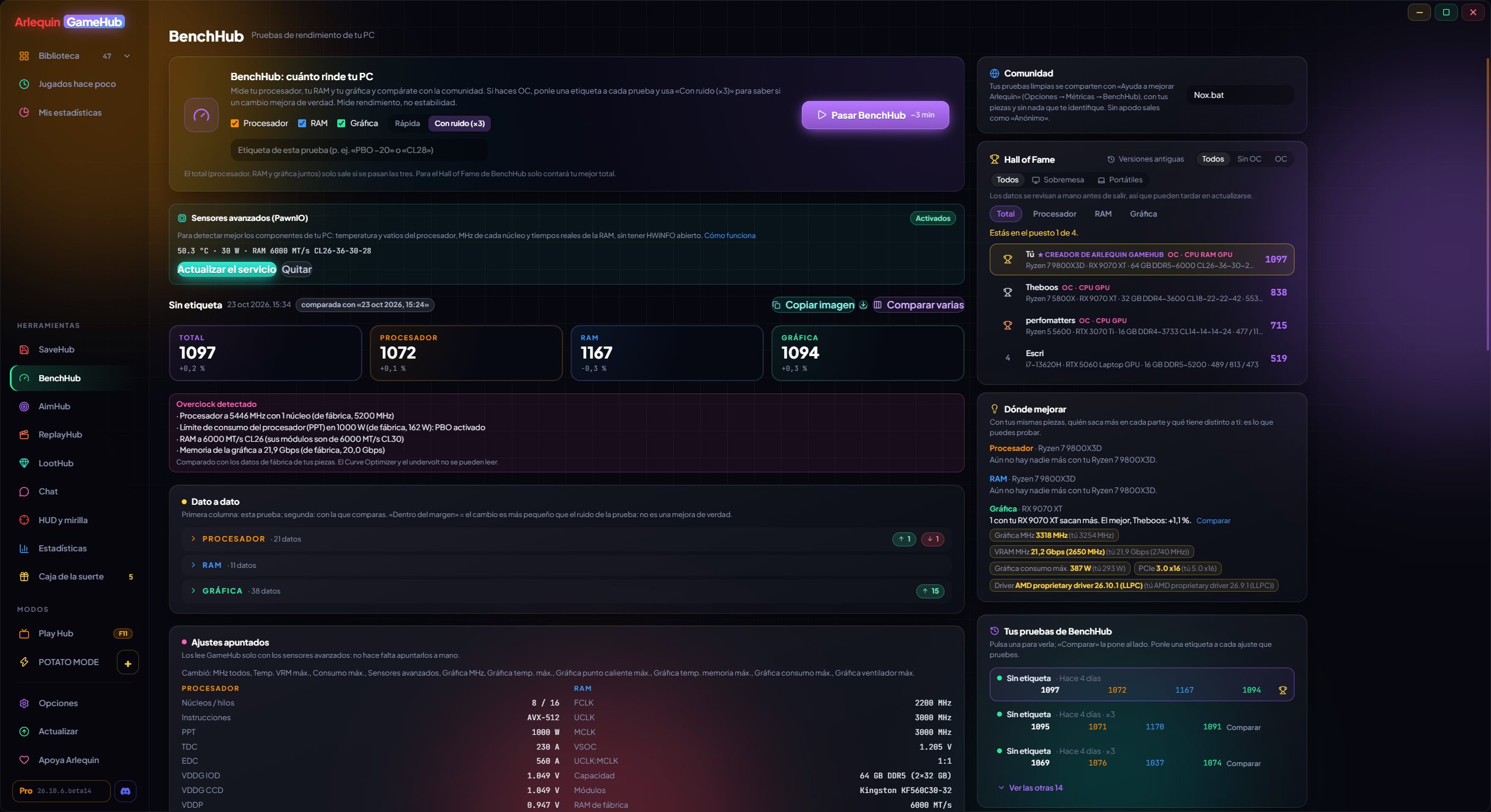
BenchHub tests your processor in depth (each core, all cores and core-to-core latency), your RAM (speed, latency and its curves) and your graphics card (the same 3D scene for all, at 1080p, 1440p and 4K, plus PCIe and Resizable BAR), and tells you if something is holding them back: heat, power limit, RAM without XMP/EXPO or the graphics card in a slow slot. If you overclock, tag each test: it records your BIOS settings by itself, tells you whether a change really helps or is within the margin, compares up to 4 tests at once and shows you where to improve against people with the same parts.
The clean tests you share show up in the Hall of Fame, with the nickname you choose or as "Anonymous".
It detects whether your CPU, RAM or graphics card is overclocked (with its own tag and filter in the Hall of Fame), tells you which PC scores 1000 points (the stock reference one) and gives you an image of your result to share.
Each result and each “Compare” value says underneath what it measures, and the ⓘ button explains why it came out that way; each processor, RAM, graphics card and Windows setting also has its own ⓘ explaining what it is for.
You can keep the motherboard fans fixed (50 to 100 %) for the whole test; they go back to how they were afterwards. For now, only on some MSI boards. The Hall of Fame shows people with a nickname first («All» to also see anonymous ones).
In the beta: the Stress tab checks whether your CPU, RAM and graphics card stay stable (lots of tests to choose from, presets, core by core, fixed, variable or stepped load, curves and CSV; it stops by itself if something gets too hot, and nothing is sent), and the graphics test also runs with DirectX 12: the same scene at 1080p, 1440p and 4K, with its own points (they don’t change the Total), how it does against Vulkan and its own tab in the Hall of Fame.
In the beta: in Stress → Status, the «Your PC sensors» table shows every sensor with its minimum and maximum, even without running a test, and «Clear» empties it.
How to use it
- BenchHub is in the side bar, under Hubs.
- Close games and heavy programs first: GameHub steps aside while it measures.
- To show up in the Hall of Fame: Options → Privacy and data → BenchHub.
Give it a try?
⬇ Direct download 🛍️ Download from Microsoft StoreWindows 10 and 11 (64-bit) · Free · Updates itself