AimHub: warm up your aim
A 3D room to warm up before playing and test your crosshair, with your own sensitivity.
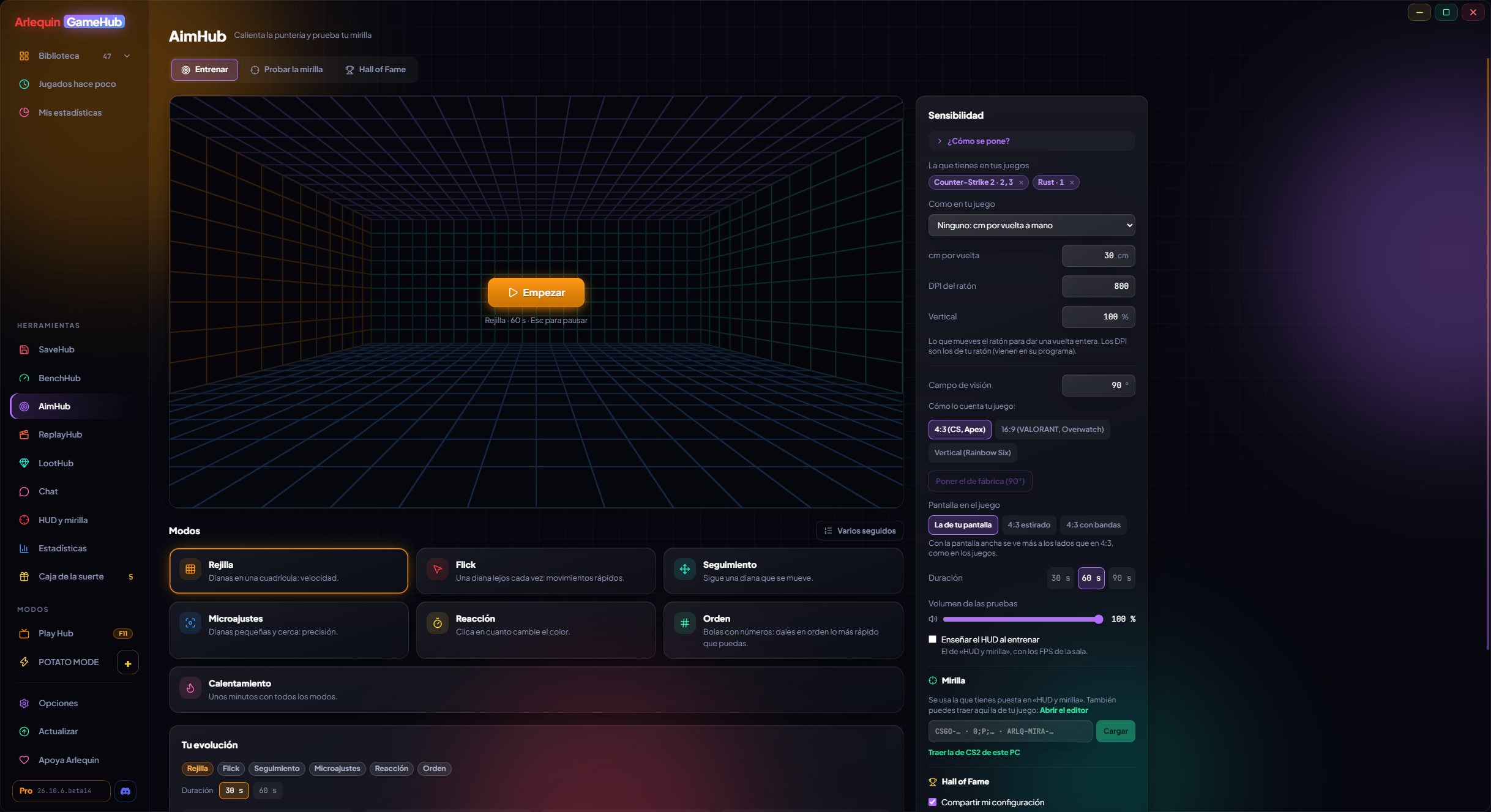
AimHub is a first-person room with six modes: Grid (speed), Flick (fast movements), Tracking (follow a moving target), Micro-adjust (precision), Reaction (in milliseconds) and Warm-up (a few minutes of all of them). It turns just like your game: pick the game, its sensitivity and your mouse DPI (more than 20 games: CS2, VALORANT, THE FINALS, Apex, Overwatch 2, Fortnite, Marvel Rivals, Rust…), and GameHub reads the one you have set where it can. It uses your mouse without Windows acceleration and runs at your screen’s refresh rate.
In Test the crosshair you see your crosshair at real size over sky, desert, snow, night or smoke backgrounds, at your game’s resolution, and it warns you if it gets lost on any of them. Your runs are saved on your PC with your progress, and your best run in each mode can go to the AimHub Hall of Fame, with your nickname and, if you want, your setup (sensitivity, DPI, field of view and crosshair). Viewing the ranking is free; copying another player’s setup is part of ArlequinPro.
Also: several modes in a row, each game’s field of view, the HUD on top while you train, a sound in Tracking when you are on the target and your Hall of Fame nickname (the same as in BenchHub). The ranking can also be seen here, in the Hall of Fame.
How to use it
- AimHub is in the side bar, under Hubs.
- Esc pauses the run.
- To appear in the Hall of Fame: Options → Privacy and data → AimHub.
- R restarts the test (while playing, paused or at the end).
Give it a try?
⬇ Direct download 🛍️ Download from Microsoft StoreWindows 10 and 11 (64-bit) · Free · Updates itself