Play Hub: to play from the couch
A full-screen interface made for the controller and the TV.
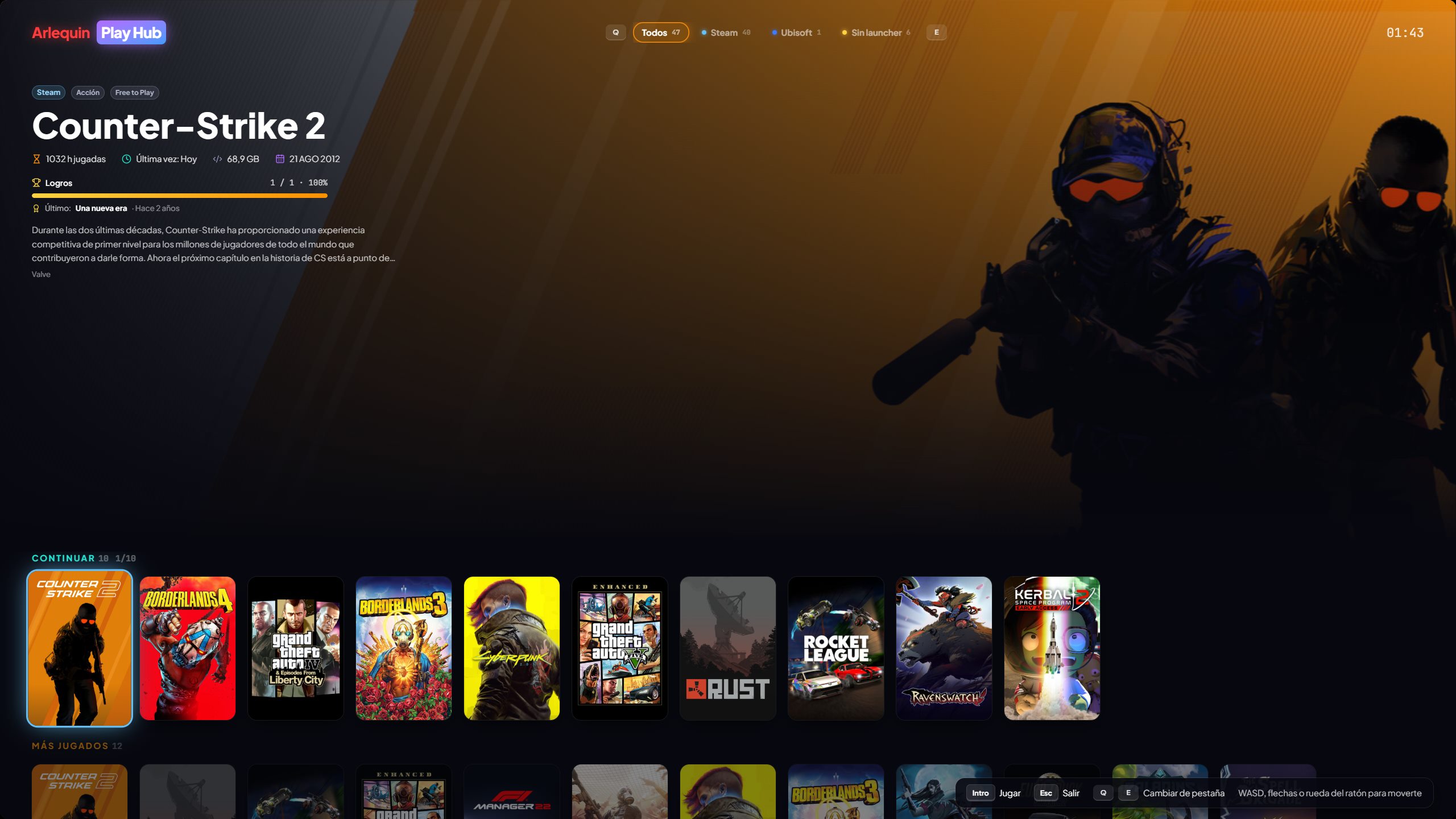
With F11 or from the sidebar, GameHub turns into a big interface to use with a controller: huge covers, the selected game in the background with its info, and smooth movement, one at a time.
At the top you have tabs: “All” and one for each store. You switch tabs with L1/R1 (LB/RB on Xbox) and each one has its rows: Continue, Most played and your whole library. When you go back to a tab you're right where you left off, and when you close a game you opened from Play Hub, you're back in Play Hub on that same game.
It recognises Xbox, PlayStation and Switch controllers and changes the buttons you see to match the one you use (or the ones you choose). It also works with the keyboard (arrows, WASD, Q/E) and the mouse wheel. Games without a cover get one of their own, with their name and colours.
It shows the battery of your laptop or Steam Deck, your controllers and your headset, fits small screens like the Steam Deck's and, while you play, the controller no longer drives it in the background.
The Menu/Start button opens a menu to do everything with the controller: search (with an on-screen keyboard), random game, filter (also by genre) and sort, the game sheet (play, graphics settings, SaveHub backup and restore), settings, go to other sections or the Lucky Box, and shut down, restart or sleep the PC.
Direct download only Consoles tab with your EmuHub games, one row per console, and the controller set up in PCSX2, DuckStation and Dolphin.
How to use it
- F11 or “Play Hub” in the sidebar.
- In Options → Controller and Play Hub you choose the button style.
- In Options → Controller and Play Hub you can hide and reorder the Play Hub rows (Continue, Most played) and the “Go to…” sections.
Give it a try?
⬇ Direct download 🛍️ Download from Microsoft StoreWindows 10 and 11 (64-bit) · Free · Updates itself